A Guide to Warming Up New Facebook Accounts
A Guide to Warming Up New Facebook Accounts
The core philosophy is: Imitate a real user, proceed step-by-step, and gain the platform's trust through stability and authenticity.
I. Core Understanding: Why Does Your Account Keep Getting Banned?
Account bans are not personal; they are the platform's automated risk control system responding to abnormal behavior. The system only cares about one thing: "Do you look like a real person?" Therefore, the following behaviors will directly lead to a high ban rate:
- Unstable or "Dirty" IP Addresses: Using public VPNs, cheap proxies, or datacenter IPs . These IPs may have been abused by multiple users and are likely flagged as "suspicious."
- Abnormal Behavior: Adding friends, posting ads, or engaging in high-frequency liking/commenting immediately after registration – actions that resemble a bot rather than a real person.
- Chaotic Environment: Frequently switching the login device, browser, or geographical IP address for the same account.
- Rushing the Process: Binding payment methods or running ads directly without a "warming-up" period, triggering commercial activity risk controls.
- Fake or Incomplete Profile Information: Using non-personal profile pictures, having incomplete information, or obviously fake details that fail to prove you are a genuine user.
II. Pre-Warm-Up Preparation: Creating a "Secure Identity" & "Isolated Environment"
This is the most critical foundation."Static Residential IP" and an "Isolated Environment" are both essential. Neglecting either aspect can nullify all subsequent careful efforts instantly. Therefore, ensure these two foundational issues are thoroughly resolved before starting any warm-up activities.
1. Obtain a Fixed and Clean IP (Your Network ID Card):
A Static Residential Proxy IP provides you with a dedicated, fixed IP address originating from a real home ISP (like Comcast, AT&T). From Facebook's perspective, your login location remains stable, making you appear as a genuine residential user from another country, which builds high trust.
2. Configure an Isolated Browser Environment (Digital Fingerprint):
Anti-Detect Browsers (like AdsPower, VMLogin, Multilogin) create an isolated browser profile for each Facebook account, simulating different hardware device fingerprints. Bind the dedicated IP from the previous step to this profile for complete isolation.
Golden Rule: One account, one environment, one IP. Henceforth, all operations for this account should only be performed within this fixed environment.
III. Practical Warm-Up Manual: Remember "Slow is Fast!"
Core Principle: Be restrained, natural, and imitate the behavior pattern of a real new user.
Step 1: Lay Low, Focus on Basics
- Complete Your Profile: Upload a real-life profile picture, and complete the cover photo, bio, work experience, education, etc. (Can be done gradually over several days, e.g., fill work experience first, then education a few days later).
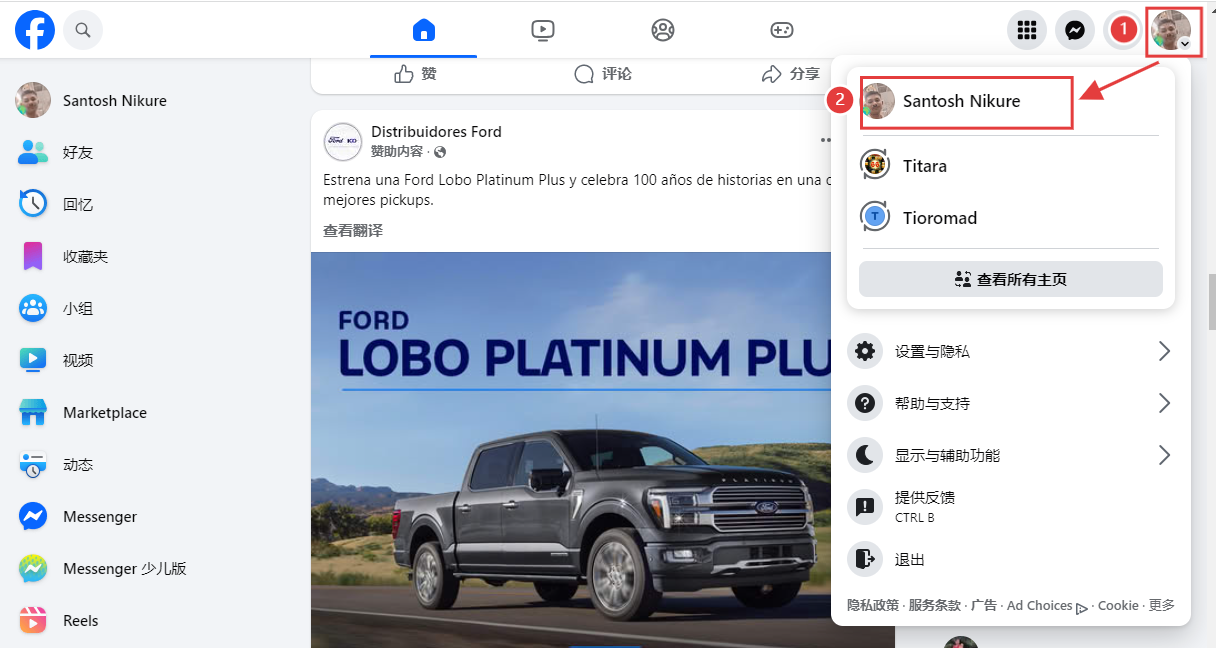
- Initial Actions: Simply log in, browse the news feed, and familiarize yourself with the environment. Do NOT add friends, like posts, or make posts.
- Online Duration: Stay logged in for at least 2 hours cumulatively, which can be split into different sessions.
Step 2: Observe & Engage Lightly
- Maintain Presence: Log in daily with a cumulative online time of >2 hours, spread across different times.
- Browsing Behavior: Scroll naturally. Randomly click on interesting popular news or videos and watch them for several seconds to a few minutes (simulating in-depth reading).
- Light Liking: Like posts you genuinely find interesting. Keep the total daily likes under 10-15, spread throughout the day. Avoid frenzied liking in a short period.
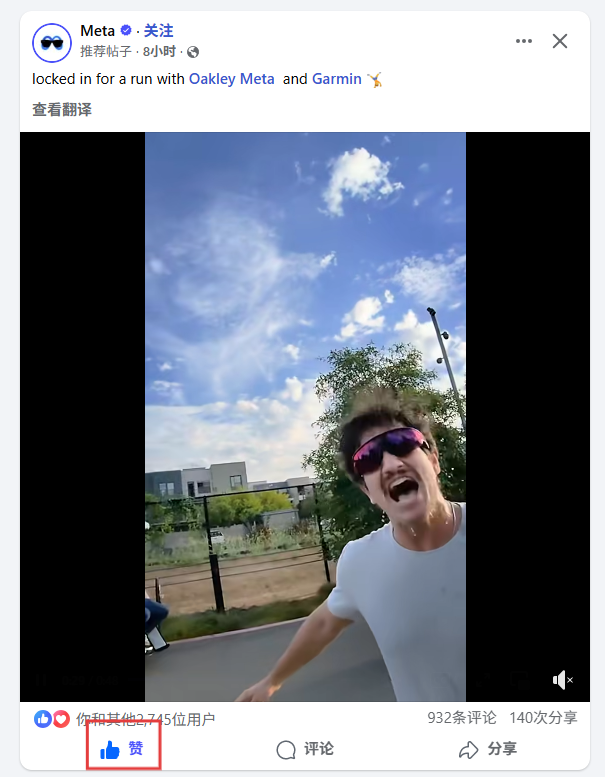
- Follow Pages: Follow 2-3 large, well-known, high-quality public pages (e.g., relevant industry brands, media, or public figures).
- Remember: Do NOT add friends, send messages, edit key profile info, or search for sensitive keywords.
Step 3: Establish Initial Social Connections
- Continue Browsing & Liking: Maintain the above behaviors. The number of likes can slightly increase to 15-20 per day.
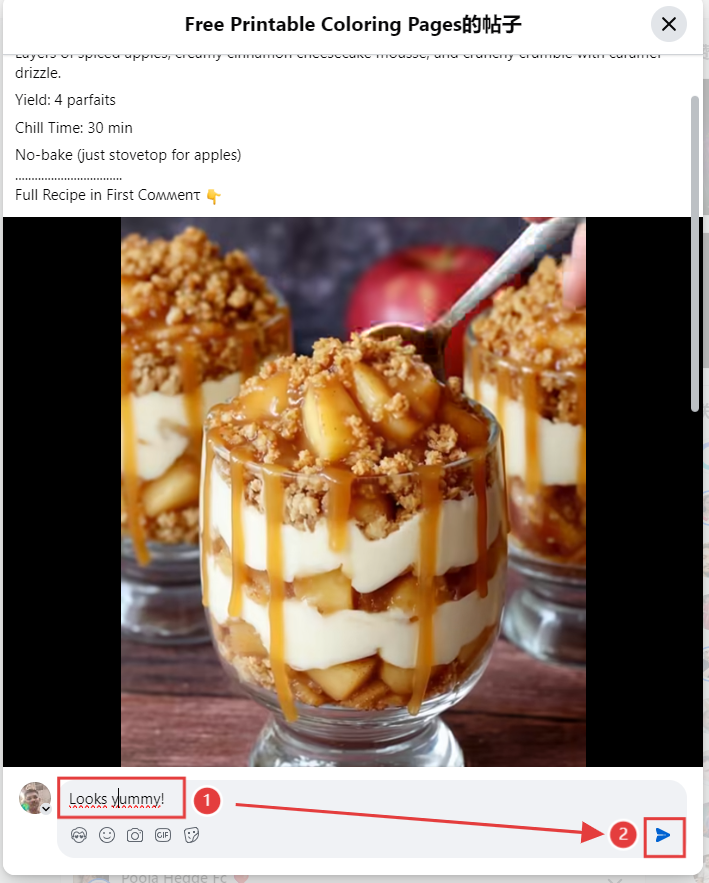
- Start Commenting: Leave short, genuine, meaningful comments under posts. Limit to 2-5 comments daily. Avoid copy-pasting and negative remarks.
- Publish Content: Post 1-2 very simple, life-oriented updates. Absolutely no ads or commercial links.
- Add Friends: Add no more than 5-10 friends/users per day, and spread this out.
- Priority: Add real-life colleagues, friends, family whom you know. Send a personal message when adding.
- Secondary: Add users in the same industry with authentic profiles. Avoid using the default greeting message when sending requests.
Step 4: Deepen Interaction, Maintain Steady Output
- Regular Activity: Maintain the habit of daily login, browsing, and interaction.
- Content Publishing: Gradually increase posting frequency to 3-5 posts per week. Content should still focus on life and interests. You can occasionally share industry news, but still avoid advertising at this stage.
- Social Expansion: Friend count can grow steadily and naturally. Join some relevant groups and participate in discussions, mainly observing and interacting lightly.
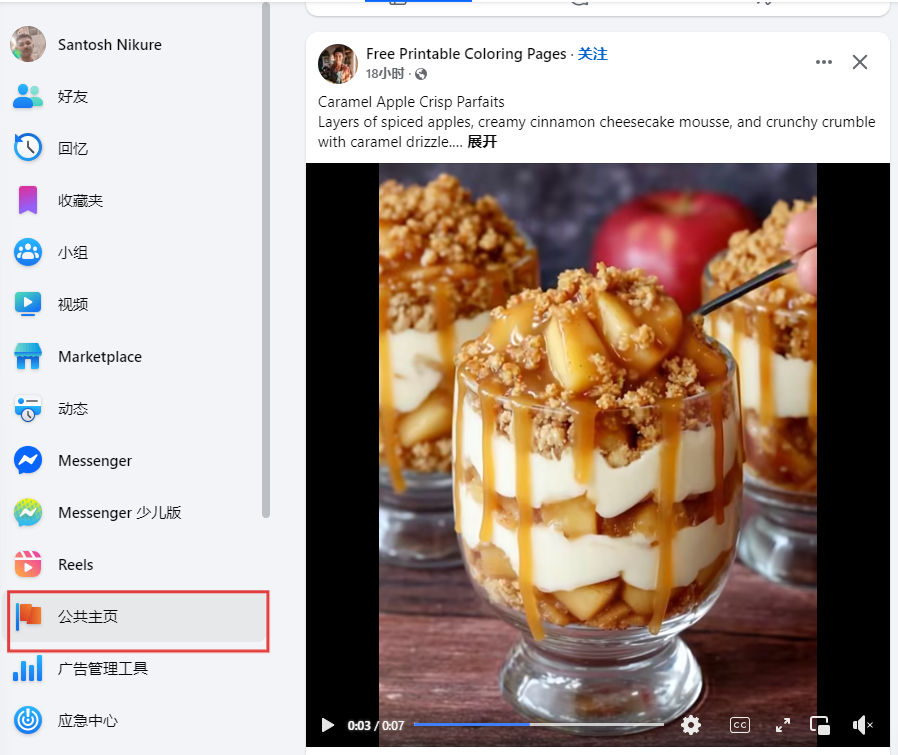
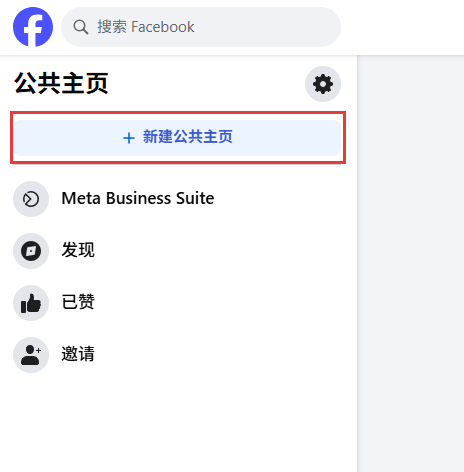
- Create a Page: At this stage, you can try creating a Public Page and set this personal account as an admin. When completing the Page info, do it step-by-step progressively; no need to fill everything at once.
Step 5: Consolidate Trust & Reach Maturity
- Stable Operation Phase: The account should now have accumulated a certain level of trust. You can gradually start marketing activities like running ads.
- Continue Avoiding High-Risk Behaviors: Still strictly avoid frequent or abnormal operations (e.g., mass adding friends, frequent messaging, or posting in short periods).
- Compliant Promotion: All marketing activities must strictly adhere to platform policies. Start with a low ad spend, test and adjust strategies gradually, prioritizing account safety while seeking better marketing results.
- Remember: Even a "mature" account needs consistent behavior. Avoid sudden drastic changes in activity patterns.
IV. Danger Zones: Never Do These!
During the warm-up process, pay special attention to these five points. These actions can not only affect account stability but potentially wipe out all your previous efforts.
- Frequently switching IPs, devices, or browser environments.
- Using any automation scripts/tools for adding friends, liking, posting, or commenting.
- High-frequency actions within a short time: frenzied adding, liking, posting.
- Posting or engaging with any violating content: pornography, violence, hate speech, spam links.
- Clicking on any suspicious links.
Was this article helpful?